Make a round
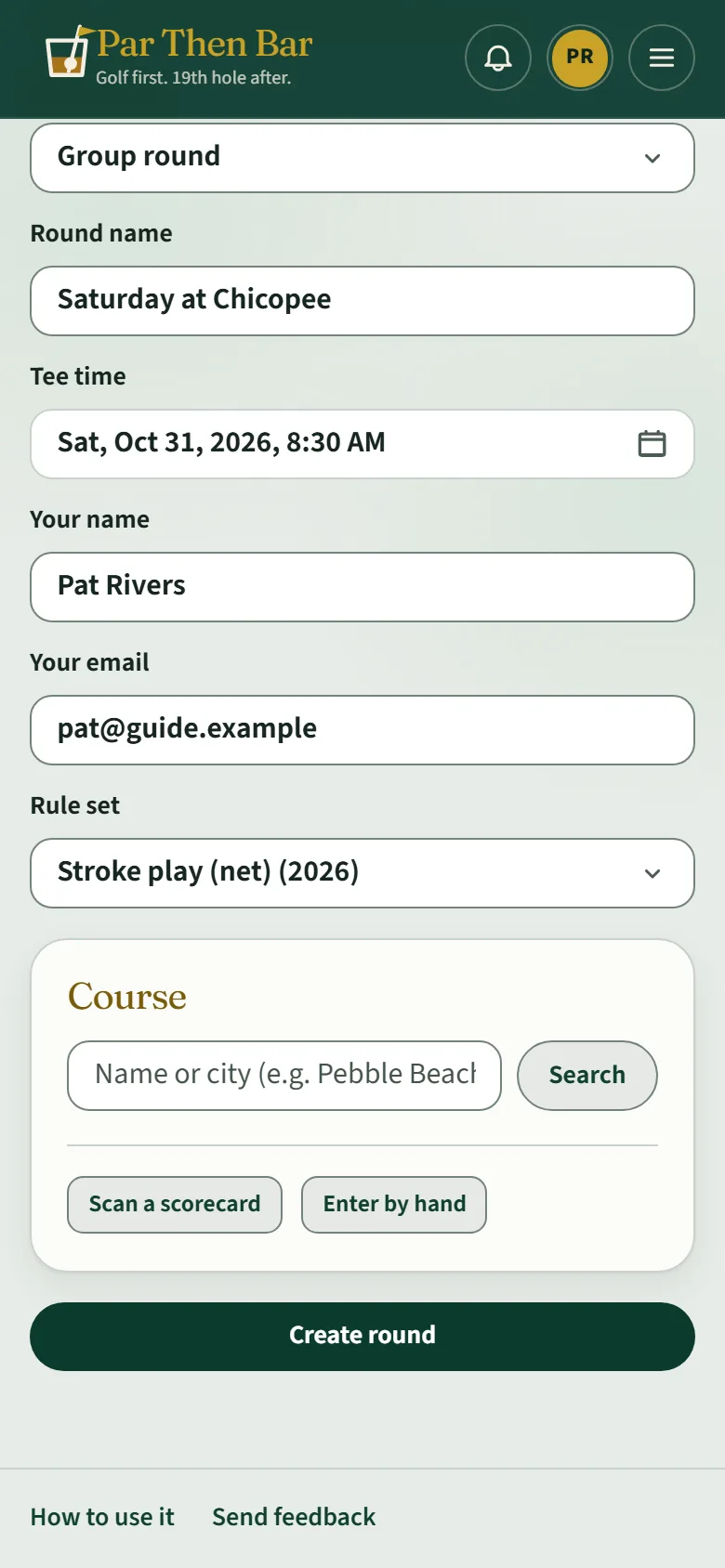
Name it, pick the tee time, the game and the course.
Whoever makes the round is its host: they set the game, bring the group in and lock the results at the end.
The round
From Home tap Start under Start a round, or Create in the menu. Then fill in:
- Round name: what everyone will see, like "Saturday at Chicopee".
- Tee time: tap it to pick the day, hour, minutes and AM or PM, then Done.
- Your name and Your email: you are on the card too.
- Rule set: the game. Stroke play (net) takes handicaps into account; there are also gross stroke play, Stableford, skins, match play, scrambles and more.
The course
- Type the course name or the city and tap Search.
- Tap the course. Where a club lists each nine on its own (a 27-hole course), pick the first nine here.
- Pick a tee.
- For eighteen holes on a 27-hole course, choose the second nine under Back nine (optional) and its tee. Leave it empty to play just nine.
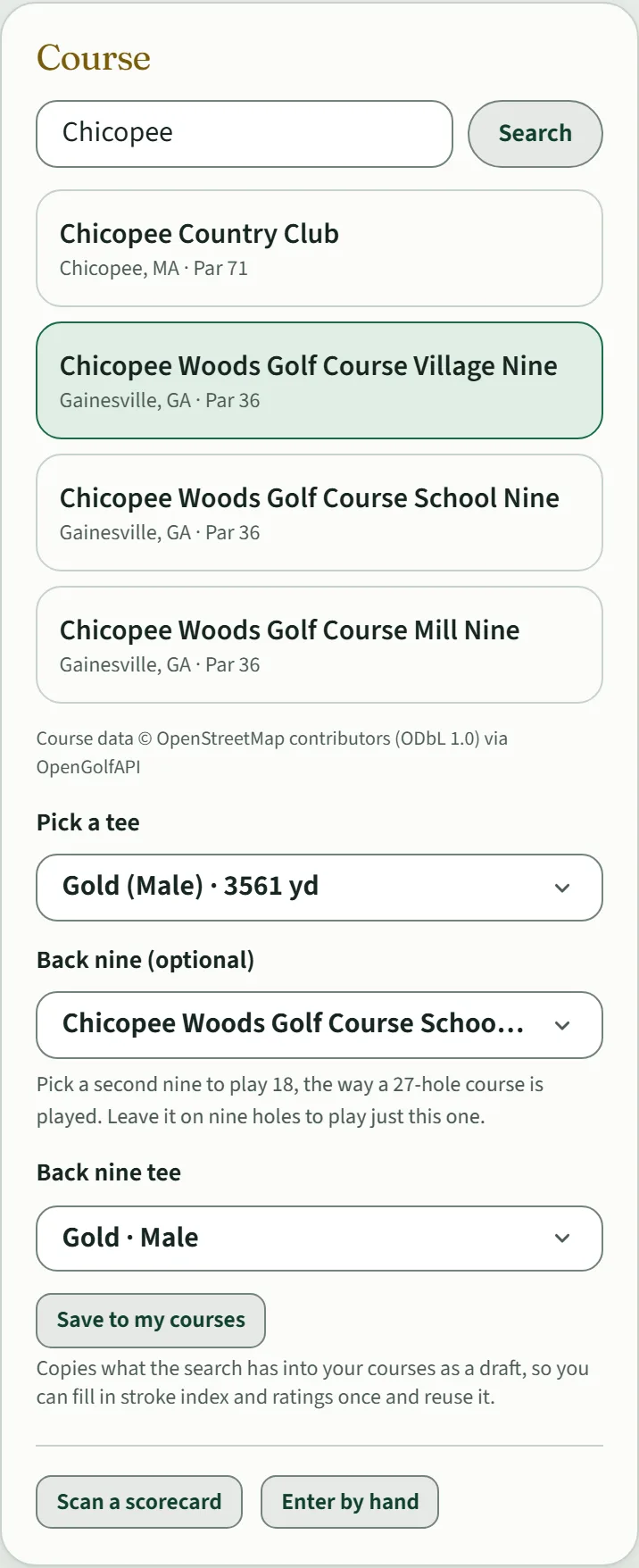
Course details come from OpenStreetMap, and some courses are missing a stroke index. If you are playing net, check the holes before you tee off (see Handicaps and net scores).
Course not found? Scan a scorecard reads one from a photo, and Enter by hand lets you type the holes in.
Create it
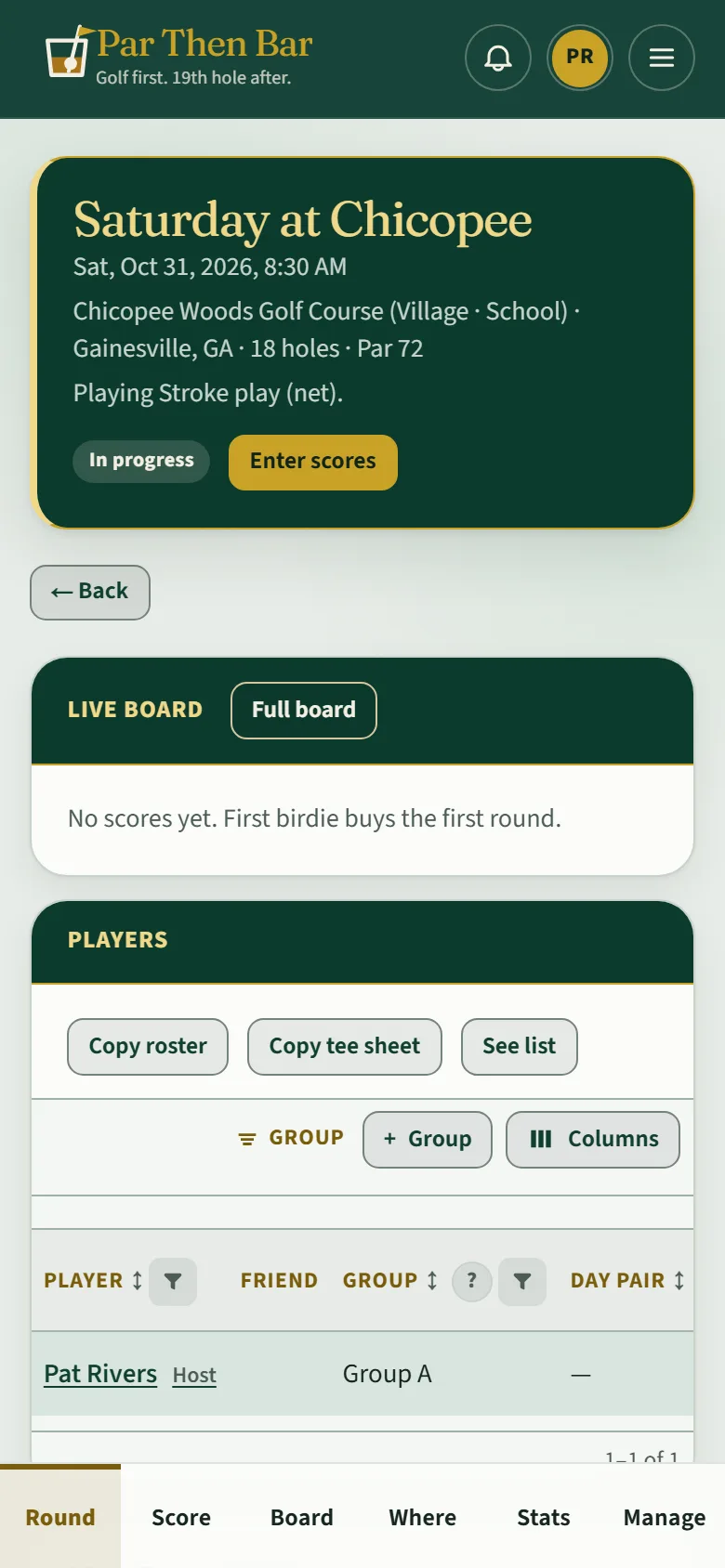
Tap Create round. The round's page shows the course, the tee time and the game, with tabs along the bottom: Round, Score, Board, Where, Stats and, for the host, Manage.