Keep score
Enter strokes hole by hole, for yourself or for the whole group.
Scores go in on the Score tab, hole by hole. Each golfer can keep their own card, or one person can keep score for the group.
A hole at a time
- Pick the hole from the strip of numbers (1 to 18). The card shows its par, the yardage from each tee and its stroke index.
- The number starts at par. Tap + or − until it matches your score.
- Tap Save score. The hole gets a dot in the strip and the next hole comes up.
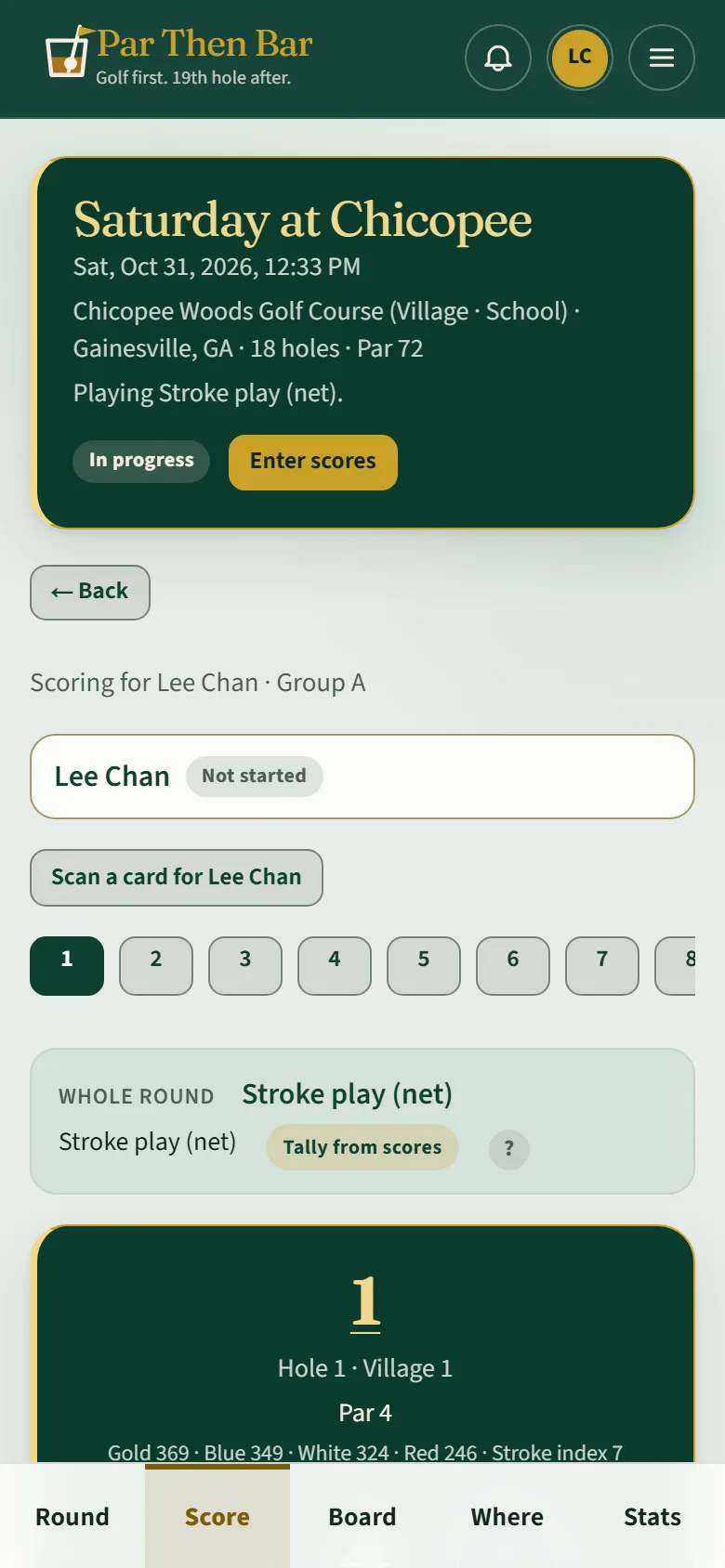
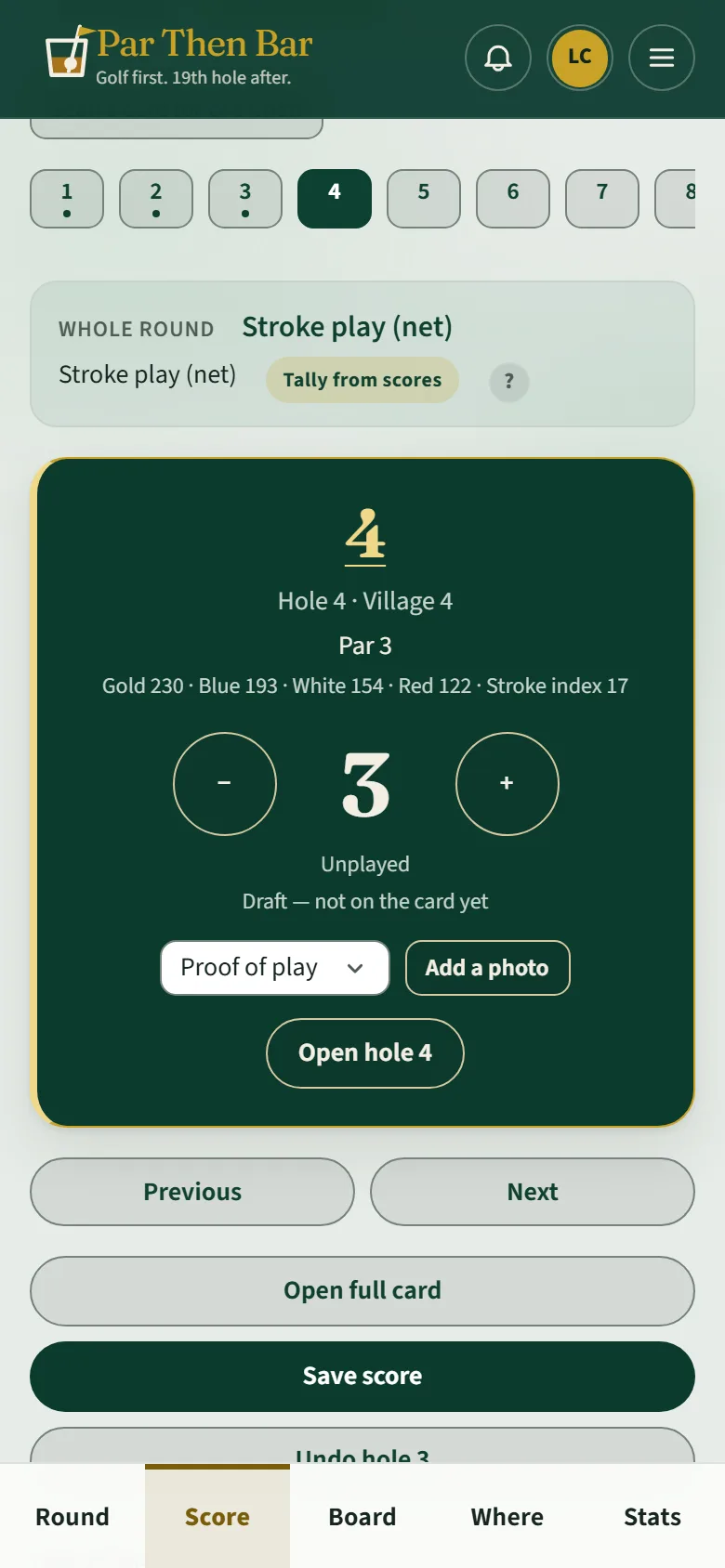
Until you save, a hole says Draft — not on the card yet. Got one wrong? Go back to the hole and save it again, or use Undo for the hole you just saved. Open full card shows all eighteen at once.
Keeping score for others
The list at the top shows each golfer you can score for and how far along they are (Not started, In progress · thru 3). Tap Enter scores next to a name, or pick them under Scoring for. The host can score for anyone in the round.
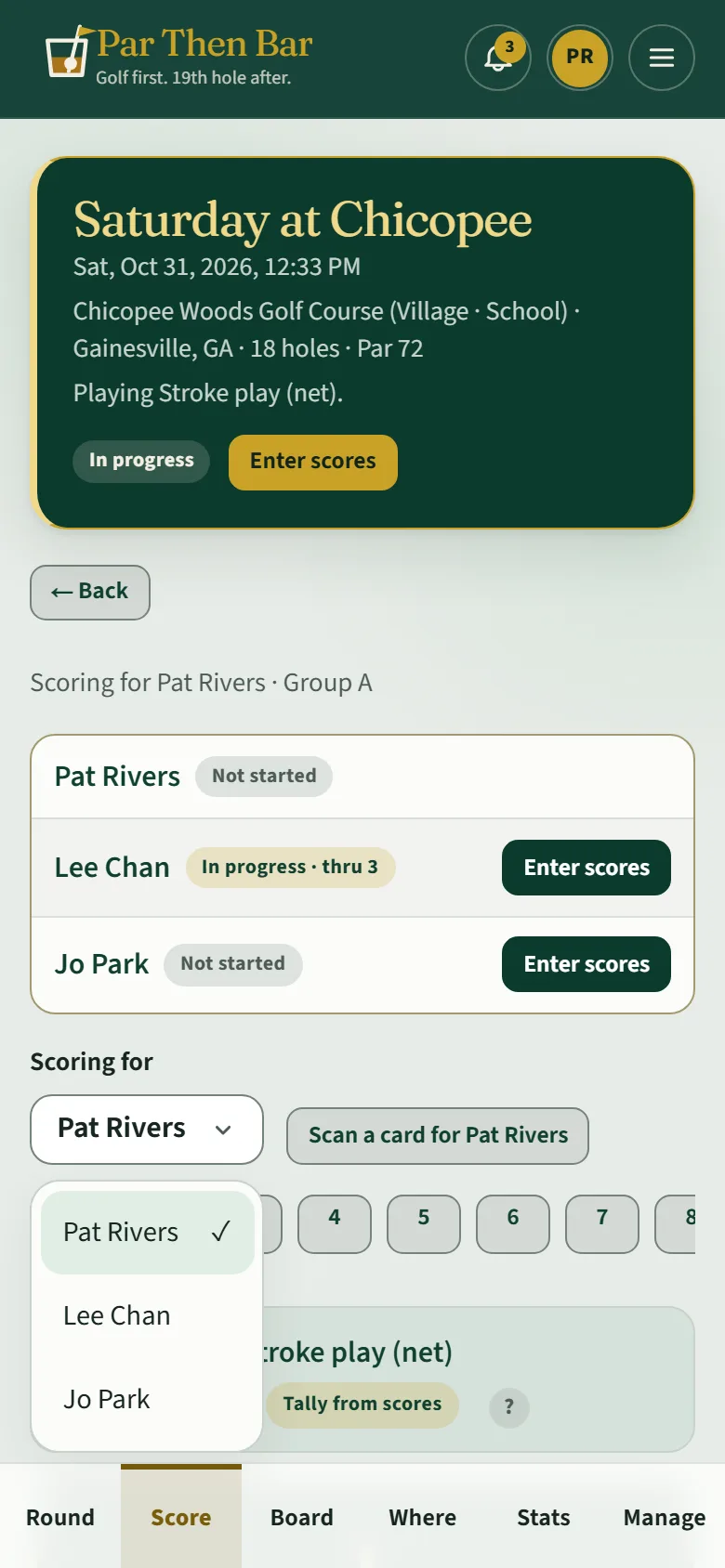
Scan a card reads a paper scorecard from a photo, if you would rather fill it in at the end.